Browser Automation Inside Agent Sandboxes
Agents need sandboxed browsers to prevent malicious websites from compromising host machines.

When an AI coding agent drives a browser, that browser is no longer just a test harness; it becomes an active execution surface inside a task loop. That distinction changes what isolation has to protect against. Traditional browser automation, the kind built on Playwright scripts or Puppeteer, runs under a developer's direct control through deterministic steps written in advance. An agent-driven browser operates autonomously instead, navigating to arbitrary URLs as part of its own reasoning process, and that autonomy exposes the browser to arbitrary web content in the middle of a task, with no developer checking each step before it executes.
The risk this creates is concrete. A browsing agent without isolation can land on adversarial content, including hidden prompt-injection payloads embedded in HTML, that cause it to execute commands on the host machine it's running on. The clearest documented example is the ZombAIs case: a security researcher built a malicious page that caused Claude to download and execute a binary and connect to a command-and-control server. One account of the incident states plainly, "This works and I got prompt injection working at the very first try!" A secondary account complicates that framing, though: it notes that Claude initially refused the request, and the attacker had to modify the page before the full exploit chain went through. Either version of events supports the same conclusion: a page built with the right payload can turn an agent's browsing session into a foothold on the machine running it.
That failure mode leads to one architectural conclusion. The browser an agent drives has to run inside the same isolated environment as the rest of the agent's tooling, not as a separate service bolted onto an otherwise open machine. A browser sitting outside the sandbox, even one with limited permissions, still shares a network path and often a filesystem with whatever else the agent can touch. Isolation only holds if it wraps the browser along with everything else the agent runs.
The three layers of the browser-in-sandbox stack
A production browser automation setup for coding agents requires three distinct infrastructure layers: browser execution, code execution, and a full dev environment. Collapsing these into one undifferentiated sandbox is precisely what reintroduces the vulnerabilities isolation is supposed to prevent.
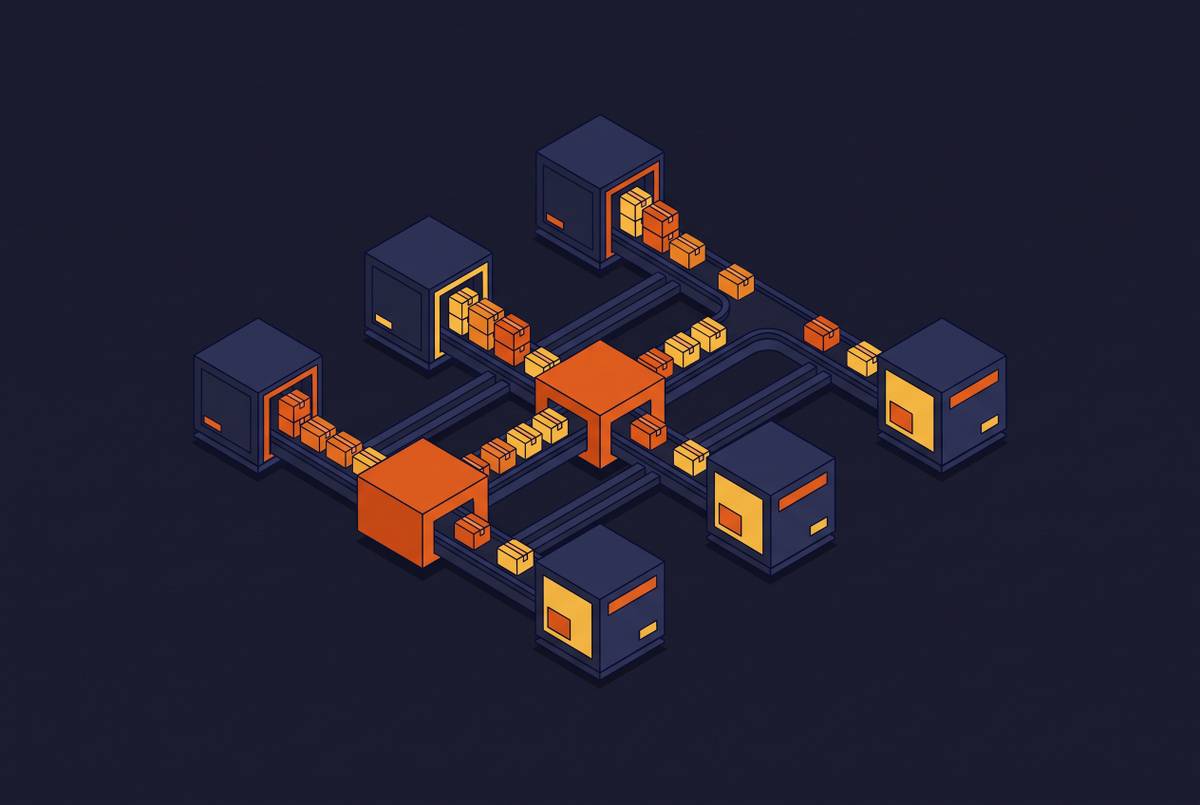
The first layer, browser sandboxes, handles the browser session itself inside an ephemeral, isolated container. Output comes back to the agent as clean Markdown or as screenshots rather than raw HTML carrying whatever payloads might be embedded in it. That conversion also cuts token costs, because Markdown is far more compact than full HTML markup.
The second layer, code execution sandboxes, runs the agent's generated code in a runtime kept separate from the browser session. This layer exists to stop a hallucinated shell command from reaching a production database or burning through a cloud billing limit. Without it, an agent holding write access to a production database can issue an unverified SQL statement that drops tables with no way back. If an agent holds raw API credentials with no scope limits, it can exhaust a cloud billing quota before anyone notices.
The third layer, full dev environment sandboxes, runs the agent's entire toolchain together: dependencies, services, filesystem, and browser, all inside one pre-configured VM. This is where browser automation and code execution converge into a single isolated environment capable of verifying its own work, making the first two layers useful as well as safe. Replicas operates at this third layer. Each agent run gets its own VM, pre-loaded with a team's dependencies and tooling, so the agent can install packages, run services, drive a browser, and check its own output inside one machine. The result functions like a local developer machine, minus the exposure that comes with actually being one.
Infrastructure requirements for reliable browser automation
Reliable browser automation inside an agent sandbox rests on four infrastructure properties: isolation guarantees, startup architecture, concurrency support, and state management. Most engineering teams underestimate all four at once, usually because each one looks solved on its own until agents start running at volume.
Isolation guarantees come first. The runtime needs a hardened boundary between the browser process and everything outside the sandbox. Modal's Sandboxes, as one documented approach, use gVisor-backed isolation and carry SOC 2 Type II certification, with HIPAA-compliant workloads supported on Enterprise plans through a Business Associate Agreement. Process isolation alone doesn't finish the job, though. Network policy carries equal weight: agents should get scoped repository access, access to a test-environment database, short-lived secrets, and allowlisted network egress, not production credentials paired with full internal network access. Non-root containers, network egress filtering, read-only mounts, and strict timeouts on every agent task belong in the baseline configuration for any production agent with browser access.
Startup architecture matters because browser automation tasks tend to arrive in bursts, triggered by a Slack message, a Linear ticket, or a batch of pull requests that all open at once. If sandbox startup is slow, agents queue instead of execute, and the task loop breaks down exactly when it's under the most load. Snapshot-based approaches preserve filesystem and memory state for fast restoration, so agent and browser workflows both end up with less repeated setup work.
Concurrency support determines how well a team running many agents at once can scale the sandbox layer horizontally without coordination overhead becoming a new bottleneck. Modal advertises support for more than 100,000 concurrent Sandboxes and has published a demonstration running a million Sandboxes simultaneously. Quora stress-tested Modal Sandbox creation at a rate of thousands per second with thousands of concurrent users active at once. At that scale, the problem stops resembling browser automation configuration and starts resembling distributed systems engineering: worker scheduling, autoscaling, resource quotas, execution timeouts, and observability all become infrastructure concerns a team has to own directly.
State management rounds out the list. Browser-driven tasks are frequently multi-step: an agent might fill a form, submit it, navigate to a confirmation page, and check the result across several distinct actions. The sandbox has to support session persistence across those steps, but it can't leak state between separate runs. Modal's filesystem and directory snapshots, along with alpha-stage memory snapshots, allow state to be saved and restored, and directory snapshots in particular can mount project-specific state onto pre-warmed sandboxes so a new run doesn't start from zero. Production browser automation setups for agents need sandbox infrastructure that can absorb burst-triggered tasks with fast startup times, scale horizontally to thousands of concurrent runs, and manage state reliably across multi-step workflows. These are the same infrastructure problems Replicas addresses by running each agent task in its own pre-warmed VM with isolation guarantees and full observability built in.
The agent loop's placement relative to the browser sandbox
Whether the agent's reasoning logic runs inside the sandbox or outside it is an architectural decision with direct security consequences, not a minor implementation detail. That placement determines what credentials ever enter the sandboxed environment, what the agent can reach from inside it, and how precisely a team can constrain what the agent does during a run.
Two patterns are in documented use. In the first, the agent logic runs alongside the generated code and the browser inside the sandbox itself. This is easier to stand up and common among internal coding agents, though it comes with a tradeoff: Modal presents this as the typical pattern for internal tooling while noting that it often requires placing credentials inside the sandbox alongside the agent. In the second pattern, the agent logic runs separately from the sandbox and interacts with it purely for execution, keeping the reasoning layer apart from the environment doing the work. Modal frames this separation as the likely long-term direction for platforms that hold proprietary agent logic they don't want sitting inside a sandbox a customer controls.
That second pattern points toward customer-controlled execution, where the reasoning layer stays managed by the AI provider while the execution layer, covering the terminal, the filesystem, browser actions, repositories, build caches, and secrets, sits inside the customer's own infrastructure. The Cloudflare and Cursor integration, announced September 2, 2026, illustrates this split in practice: Cursor handles the agent loop, the planning, and the orchestration, while the execution environment itself stays on infrastructure the customer controls.
This architecture, once adopted at scale, introduces a platform-engineering problem of its own. At a large number of concurrent agent runs, a team is effectively managing a fleet of autonomous workers, and worker scheduling, ephemeral environments, autoscaling, credential isolation, network policies, resource quotas, execution timeouts, observability, and artifact storage all turn into active, ongoing concerns. The zero-trust framing that security teams apply to human access applies just as directly to agents: treat each agent run as an untrusted principal, scope access per resource, issue short-lived credentials, deny standing access to production systems, and treat browser execution as an untrusted surface by default rather than an exception that needs special justification.
The agent harness choice and its interaction with browser automation in a sandbox
The coding agent harness a team chooses shapes what browser automation inside a sandbox actually looks like in practice, because harnesses differ in where they execute, how they invoke browser tooling, and how much of the surrounding environment they control.
Claude Code is terminal-first and built for sustained autonomy on complex, multi-file work, and it runs locally by default. So browser automation under Claude Code needs explicit sandbox configuration, or it risks the local-machine exposure argued against earlier in this piece. For sensitive codebases, Claude Code's local execution model keeps the repository itself on-device, but prompts and code context still travel to Anthropic's cloud API for inference, and session transcripts are stored in plaintext locally for 30 days by default. That combination makes it a genuine privacy tradeoff rather than the most privacy-preserving option available, and local execution is also the most exposed configuration a team can choose for browser automation specifically.
Codex offers cloud tasks that run in isolated containers, and it also has a CLI that runs locally. Browser and computer use are not supported in Codex Cloud, so browser automation cannot inherit the container's isolation boundary automatically the way code execution does. For teams that want browser automation without building their own sandbox layer from scratch, that gap is a meaningful default to plan around.
Opencode's advantage in this context is provider freedom. Teams that want to run browser automation agents against multiple models, without committing to a single execution environment ahead of time, can use Opencode as the orchestration layer while configuring the sandbox independently of which model happens to be reasoning at a given moment.
The practical implication for any team weighing these options is that the sandbox layer itself should be harness-agnostic. The environment an agent runs in should be configurable independently of which harness triggers a given run, so switching harnesses doesn't force a team to re-architect its browser isolation from the ground up. Replicas reflects that conclusion directly: Claude Code, Codex, Cursor, and Opencode can all run inside the same isolated VM infrastructure, so the browser automation environment stays consistent regardless of which harness a team uses for a given task.
The browser automation layer's role in agent self-verification
An agent's capacity to verify its own work, by loading the result in a browser, confirming a form submitted, or checking that a UI change actually rendered, depends entirely on having a real, fully configured browser running inside the same environment as the rest of its tooling. Self-verification is a direct consequence of the same isolated environment the earlier security argument already demands.
Self-verification closes the loop between implementation and output. An agent that can run its tests, launch a service, open a browser, and inspect the result, all inside the same sandboxed environment, can return a pull request backed by something more substantial than a guess about whether the change works. The Warp/Wilson case shows this pattern in practice: a request made in Slack triggers Wilson to open a Linear issue, implement the change, create a GitHub pull request, and then perform QA through computer-use verification that produces a video of the completed feature along with the keystrokes that built it. The browser functions as the verification instrument itself, not as a separate manual step tacked on afterward.
Without an isolated, real browser running in the same VM as the rest of the agent's tools, verification falls back to a human doing the work the agent could have done directly, reintroducing the review bottleneck background agents exist to reduce. The same infrastructure properties that make the sandbox secure also make verification possible: a fully configured VM with installed dependencies, network access, and a working browser can run an application and inspect its actual behavior, while a stripped-down container built only for code execution cannot. Ramp uses Modal Sandboxes for background coding agents that generate code changes and write them back into commits or pull requests, so those agents get access to realistic engineering tools but never touch production data. Background agents that return finished pull requests carry more value than interactive copilots precisely because they can close this loop end to end, but only where the environment actually supports it. An agent that cannot verify its own output inside the sandbox still returns a pull request, just one a human has to verify in its place.
Configuring browser automation inside agent sandboxes at scale
If teams treat sandbox configuration as an afterthought to harness selection, they run into security, reliability, and observability problems that no later harness change can fix. The environment has to be designed before agents run at scale, not retrofitted once they already are.
Start with the execution boundary. Decide, before any agent runs, whether agent logic will sit inside the sandbox or outside it, and build credential scoping, network policy, and secret management around that decision from the outset. Retrofitting this boundary after agents are already in production is far harder than designing it up front, since credentials and access patterns tend to calcify around whatever the first working setup happened to be.
From there, you need concrete answers for the four infrastructure properties covered earlier, not assumptions. Isolation has to be verified at the process and network level, not just claimed in a vendor's documentation. You have to measure startup latency under the kind of burst load real usage will actually produce, because burst-triggered browser tasks behave very differently from steady, predictable traffic. Concurrency limits need testing well before a team hits them in production, since without it a failure mode appears as queued agents and missed deadlines rather than a clean error message. State management needs a clear policy on what persists between steps of one run and what gets wiped clean between separate runs, since those are two different guarantees that are easy to conflate.
None of this is optional hardening layered on after the fact. It's the baseline a team needs in place before letting agents touch a real browser against real web content, because the entire argument made across this piece rests on one premise: security, environment fidelity, and an agent's ability to verify its own work all draw on the same underlying infrastructure. Teams that build that infrastructure deliberately get agents that can act and check their own work in one motion. Teams that skip it get agents that act and then wait for a human to find out whether it worked.